While systems based on AMD AI max+ 395 are cheaper (and might in some cases even be faster), the NVIDIA Spark DGX systems have the advantage of providing the CUDA ecosystem. (However, if you just want to run LLMs, then Ollama and LM Studio support the AMD AI processors as well as CUDA.) Both system suffer from the fact, that standard DDR5 RAM is used (or to be more precise LPDDR5, i.e. soldered, instead of upgradable DIMMs): if you have CUDE code that fits into the High-Bandwith Memory of a real graphics card, it will run ca. 5 times faster in comparison to the standard DDR5 RAM.
I did some research on the Spark DGX
- Comes with no 200 GB QSFP Direct Attach Cable (DAC) to cluster two of them without a 200 GB switch in-between, i.e. you need to buy an extra one, e.g. from here. Currently, only a single 1:1 connection is supported for coupling two devices together, but maybe via a 200 GB switch you could connect more Sparks (if you have more...) using the 200 GB interface -- you can of course always use the 10 GB Ethernet ports connected to a switch.
enP7p1s0 is the Realteak-based 10 GB RJ45 Ethernet port. The others (enp1s0f0np0 enp1s0f1np1 enP2p1s0f0np0 enP2p1s0f1np1) are the 200 GB QSFP56 ports, it seems that as the CPU consists essentially of two parts, each with its own PCIe and each CPU part handles one 100 GB connection and therefore, the 200 GB connection is reported as two 100 GB devices).- Setup is described here: https://docs.nvidia.com/dgx/dgx-spark/first-boot.html
- While it is setting up, it creates a WiFi AP (SSID shown a booklet that ships with the hardware) so that you can connect and create a user via a Web browser. It uses the Ethernet connection for installing OS updates. Once that setup has been finished, the WiFi AP gets disabled! You should be able to enable the AP again, e.g. using NetworkManager, but this will not NAT the WiFi AP client traffic via the Ethernet connection, i.e. while your WiFi AP client can access the DGX Spark, you cannot browse the Internet.
- From the documentation:
The machine name is your DGX Spark hostname with .local appended, such as spark-xxxx.local. You can find the default hostname on the Quick Start Guide that came in the box. The .local address uses mDNS (multicast DNS) to automatically locate your DGX Spark on the net-work without needing to know its IP address. This is particularly useful if your router periodically reassigns IP addresses.
For Windows users: mDNS requires Bonjour Print Services from Apple. If you have iTunes or other
Apple software installed, you likely already have this. Otherwise, you can download it from Ap-
ple’s website. Alternatively, you can try using just the hostname without .local (such as spark-xxxx),
though this method is less reliable on modern networks.
Why .local might not work: .local hostnames may not work in enterprise networks with strict se-
curity policies, networks that block multicast traffic, or other restricted network environments.
Using an IP address instead: If .local hostnames do not work, you will need to use the IP address. To
find the IP address, physically log in to your DGX Spark and click the network icon in the top right
corner of the Ubuntu desktop. Select Settings from the dropdown menu, then navigate to the
Network section. The IP address will be displayed under as "Realtek Ethernet". Click on the settings icon to see its IPv4 and IPv6 address.
Alternatively, you
can log in to your router’s administration console to view connected devices and their IP addresses.
- As this OS Ubuntu 2024.04, it uses Netplan for all network configuration.
To change the hostname, you can either use the DGX Dashboard (see below and then Settings, System, Edit Hostname) or:
sudo hostnamectl set-hostname new_hostname
E.g.: sudo hostnamectl set-hostname spark1
Restart the device or its services for the change to take effect.
Further netplan commands: netplan get, netplan status --all
To generate configuration files for all the involved network tools from the yaml file:
sudo netplan generate. To try (will revert after 120 s): netplan try To finally apply persistently: netplan apply
- Note: the netplan permissions are messed up: do
chmod 600 /etc/netplan/* and run netplan apply
- Talking about Ubuntu: Release notes are available, but these refer both to the full-blown X86_64 DGX and the ARM64 DGX Spark, so search there for Spark. recovery media archive file is also available if you need to reinstall. In contrast to Ubuntu that has LTS releases, NVIDIA promises updates only for two years and there are concerns about NVIDIA supporting the Spark or other GB10 systems beyond a few years.
- As this is standard Ubuntu, you will very likely need to do some variant of the usual hardening.
- The https://build.nvidia.com/spark/connect-to-your-spark/sync NVIDIA Sync tool tunnels from your client machine via SSH to the DGX Spark: at the first usage of NVIDIA Sync, it will ask for your username and password: On Linux systems, it will then create a password-less SSH key (so that in future, NVIDIA Sync can tunnel without needing to ask for a password) and copy the public-key of the SSH key over to the DGX Spark (it will do so even if you already have an SSH key). On Mac or MS Windows system, it seems not to assume that there is support for password-less SSH keys.
The NVIDIA Sync documentation contains some copy/paste instructions for Ubuntu/Debian of how add it as APT source: I do not like that they append it to sources.list -- I would rather make it file on its own in sources.list.d/. Also the provided deb entry might need to be changed into deb [arch=amd64] . I also had after some time to update the GPG key from NVDIA: see their curl line on the above NVDIA page.
- There seems to be an issue with the file /opt/nvidia/dgx-dashboard-service/jupyterlab_ports.yaml. But restarting the system after a user has been added, seems to help. The question is whether restarting some service using
systemctl restart would do the same job as rebooting.
Update: I tried systemctl restart dgx-dashboard.service (which will then ask for the sudo-enabled user to be used for that, incl. entering the password) and that did add the missing entry. sudo systemctl restart dgx-dashboard.service did not ask for the user to be used.
- If there is permission issue with docker:
sudo usermod -aG docker $USER
newgrp docker
- https://build.nvidia.com/spark Playbooks with first steps to play around.
Start with activating Jupyter lab viah the DGX Dashboard. There seems to be an issue with the file /opt/nvidia/dgx-dashboard-service/jupyterlab_ports.yaml, though. Also, the sample AI workload will generate a warning concerning GPU NVIDIA GB10 which is of cuda capability 12.1 and Minimum and Maximum cuda capability supported by PyTorch is (8.0) - (12.0): that can be ignored.
In general, the software quality delivered by NVIDIA is rather low: e.g. in December 2025, apt update was broken and NVIDIA provided a fix only later where some even say that it does not work. In any case, this renders unattended-upgrade not working, thus preventing security updates.
I found a nice visualisation of the most common 4-digit PIN numbers, based on 3.4 million PIN numbers from several data breaches: The 20 most common numbers make up 27% of the commonly used PIN numbers, i.e. from those 3.4 million PIN numbers used by people, more than a quarter were from this set of 20 PINs.
	PIN	Freq
#1	1234	10.713%
#2	1111	6.016%
#3	0000	1.881%
#4	1212	1.197%
#5	7777	0.745%
#6	1004	0.616%
#7	2000	0.613%
#8	4444	0.526%
#9	2222	0.516%
#10	6969	0.512%
#11	9999	0.451%
#12	3333	0.419%
#13	5555	0.395%
#14	6666	0.391%
#15	1122	0.366%
#16	1313	0.304%
#17	8888	0.303%
#18	4321	0.293%
#19	2001	0.290%
#20	1010	0.285%
A more detailed analysis is also provided, e.g. dates are also likely, either years or MMDD / DDMM (Month, Day / Day, Month).
Rule of thumb: what comes into your mind as easy to remember (e.g. birth dates) is what also comes into the mind of others -- and might therefore be tried by someone guessing your PIN code. So: do not use these!
I just stumbled over the 2024 Icelandic Developer Survey: Compensation, Technologies, and more that was based asking members of an Icelandic SW developer Facebook group to fill out a survey.
Having been involved in other IT-related survey's in Iceland (e.g.: The state of cybersecurity vulnerability reporting in Iceland), this is interesting work.
If page limit is an issue for you as an author of a scientific paper, then shortening references may be a way to squeeze out a few lines, e.g. using in the references section IEEE Trans. Softw. Eng. instead of IEEE Transactions on Software Engineering.
This is based on the ISO 4 standard: Words such as articles (the), conjunctions (and), and prepositions (for/of/in) are generally removed and a List of Title Word Abbreviations (LTWA) is used to abbreviate common title words.
You can look up the words in the LTWA at https://www.issn.org/services/online-services/access-to-the-ltwa/.
However, that list seems not be exhaustive: I have seen journals themselves using abbreviations not contained in the LTWA.
It therefore helps to search also for the full name and add as search term iso 4 or to check whether there is a Wikipedia article that contains the ISO 4 abbreviation or to look up the journal at https://www.resurchify.com/impact/details/ or at https://paperpile.com/guides/resources/abbreviations/
After successful two rounds of Cybersecurity grants for Icelandic SME companies, Icelandic Smaller and Middle-size Enterprises (SMEs) can now for a third time apply for cybersecurity-related funding. The call topics are the same as last time:
- strengthening cybersecurity culture and awareness,
- efficient education, research and development,
- secure digital services and innovation,
- stronger law enforcement, defense and national security,
- effective response to incidents, and
- strong infrastructure, technology and legal framework.
This funding is in the context of the ECCC/EU co-funded project Eyvör – the National Cybersecurity Coordination Centre of Iceland (NCC-IS). See also the official web page of Eyvör NCC-IS.


For teaching (and for my eyes on a 4K screen), I need sometimes the Eclipse IDE with larger icons and UI fonts (while the editor fonts can be easily adjusted within the Eclipse preferences, namely by adjusting Text Font, the icons cannot and while the UI fonts should be adjustable via Gnome settings, this did not work on my KDE/Plasma system).
What works for me (with X11 -- Wayland is a different thing) is described in https://linux-blog.anracom.com/2024/08/28/eclipse-too-small-icons-on-high-dpi-screens-workaround-for-kde-plasma-by-scaling-on-x11-and-wayland/
I also have in my home directory a .gtkrc-2.0 file and need to find out whether deleting it would change anything (i.e. global KDE/Plasma font size setting might then be used, but as long as .gtkrc-2.0 exists, this might override the KDE/Plasma font size setting) -- same applies for the gnome-tweaks command.
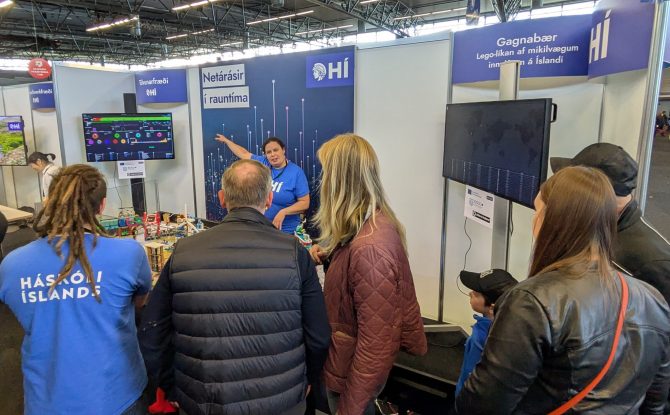
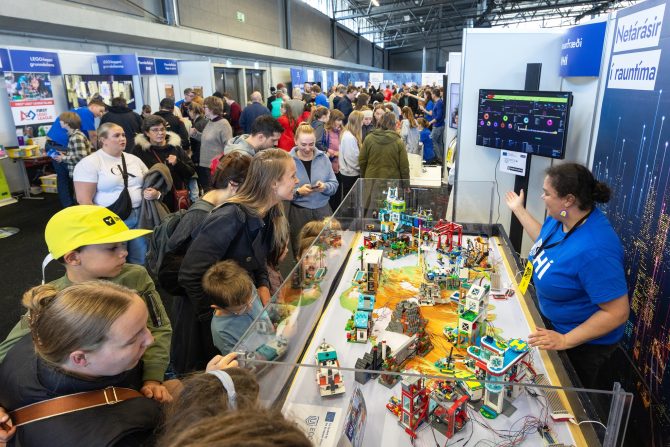
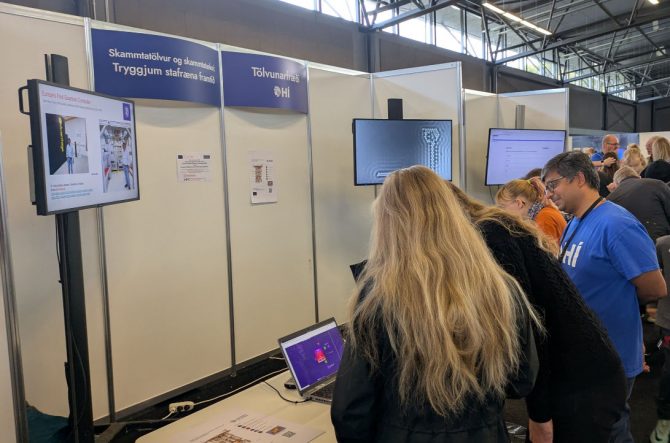
On Saturday, 27. September 2024, 12:00-17:00, there was Vísindavaka 2025, the Icelandic family-friendly-during-daytime edition of European Researchers' Night 2026 at Laugardalshöll in Reykjavik.

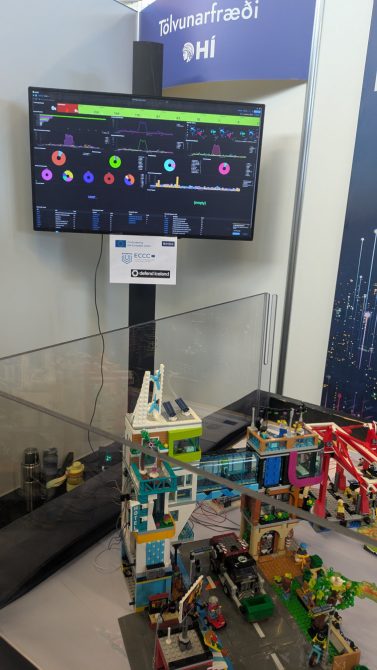
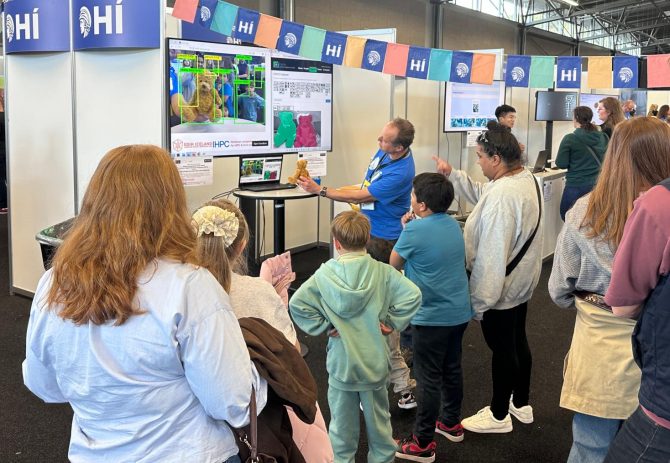
The Computer Science department of University of Iceland had a couple of booths there, showcasing our activities in a way accessible for the general public.
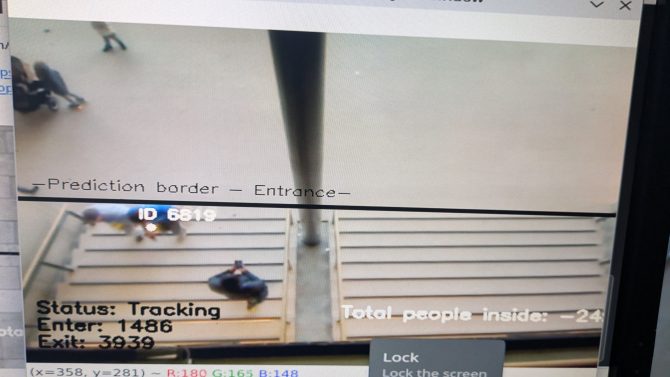
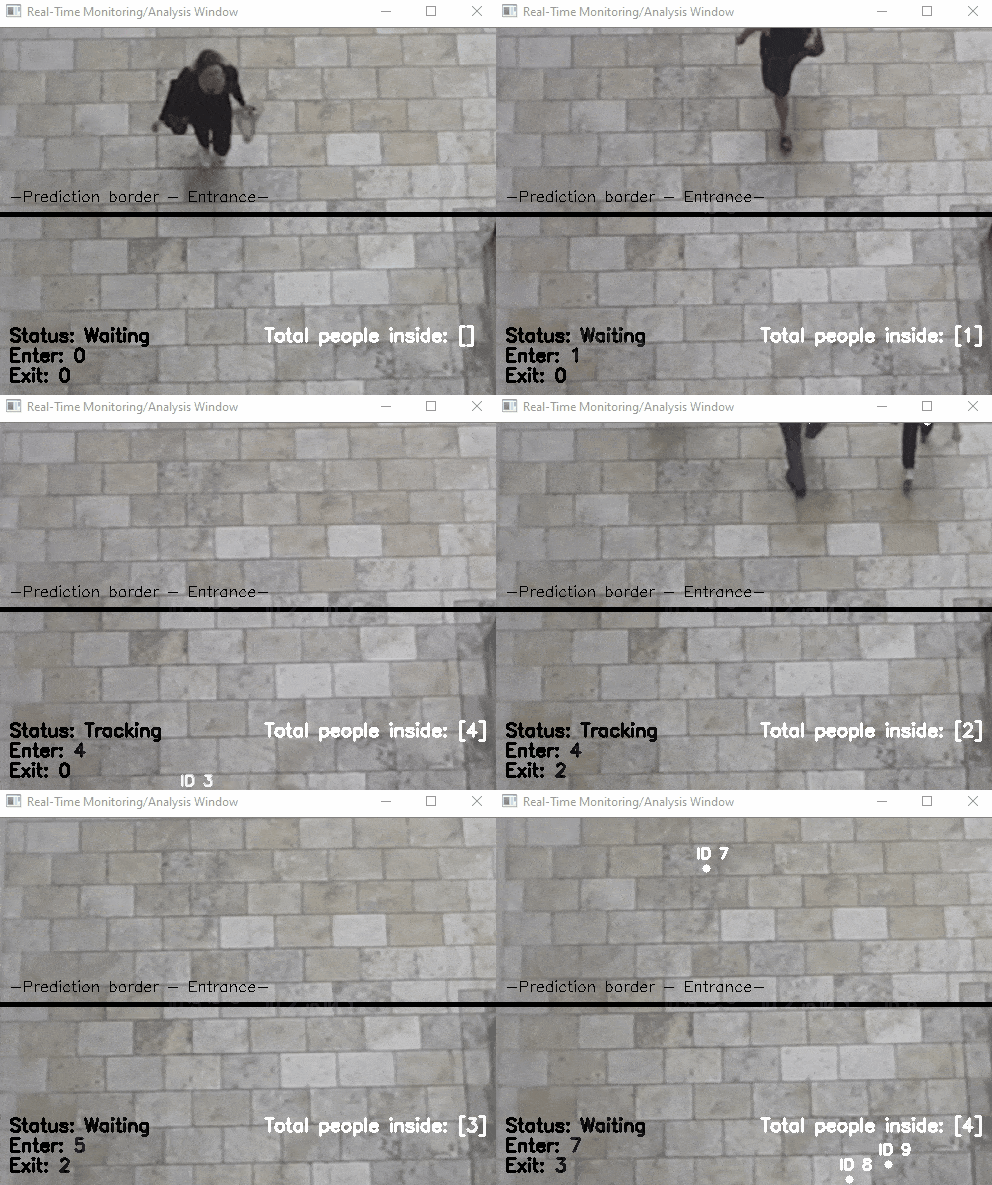 Another application of object detection (combined with object tracking): the organisers of the European Researcher's Night asked me to count the number of visitors by having a camera at the entrance that counts people entering and exiting. This was not showcased at a booth, but ran GDPR compliant (counting was done in real time and no video was recorded) in the background. As the camera was low resolution, the software had however some issues and was more reliable in counting people exiting than entering. Anecdotal evidence suggest, that children were not counted as these were simply too few pixels to be detected. It remains to be found out whether a higher resolution camera would improve the situation.
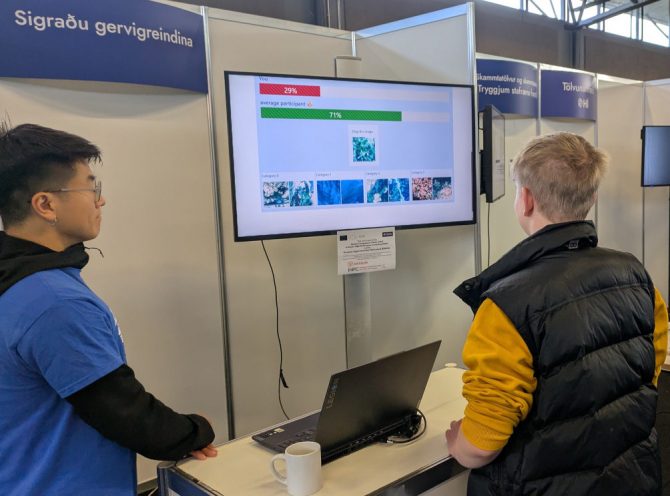
Beat the AI! A remote sensing demonstration that relates also to work done in EDIH-IS and IHPC where neural networks are used to classify land cover from satellite images, (Photo from Vísindavaka 2022)
Our booths at the previous European Researchers' Nights:
Parts of this event are in the context of our cybersecurity activities and the ECCC/EU co-funded projects ICEDEF – Defend Iceland and Eyvör – the National Cybersecurity Coordination Centre of Iceland (NCC-IS).
Eyvör NCC-IS, the National Coordination Centre for Cybersecurity in Iceland, where University of Iceland is a member, is holding on 11 September 2025, 08:30-12:30, an event on Cybersecurity: From Grants to Impact (registration needed). Those who got grants from Eyvör NCC-IS for increasing cybersecurity will present their results.
The Icelandic minister for infrastructure and the director of the European Cybersecurity Competence Centre and Network (ECCC) will attend and the agenda is:
08:30 Coffee & Registration
09:00 Opening – Mr. Hrafnkell Gíslason, Managing Director of ECOI
09:10 Eyjólfur Ármannsson, Minister of Infrastructure
09:20 Luca Tagliaretti, Executive Director at ECCC
09:50 Hörn Valdimarsdóttir covers the Defend Iceland success story
10:00 Break
10:10 Grant Projects: Brief Presentations, first part
11:00 Break – Coffee and refreshments
11:20 Grant Projects: Brief Presentations, second part
12:05 Eyjólfur Eyfells at Rannís covers the Application Process and Eligibility
12:30 Closing
The next call for grants will be open 1. October to 1. December 2025: check out at Rannís.
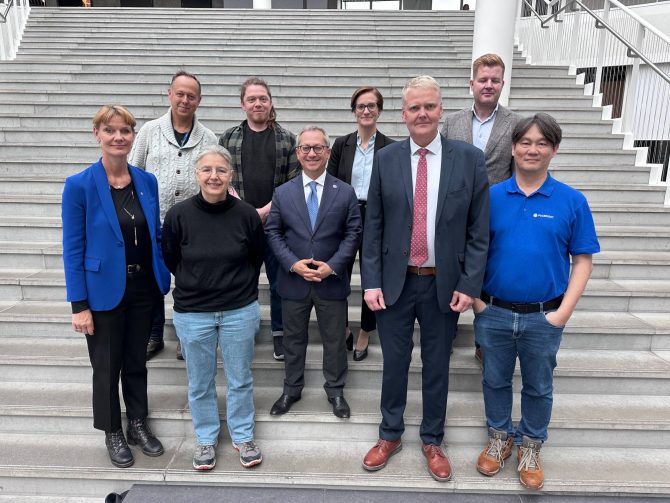
Photo from after the event: Eyvör NCC-IS members (and Fulbright Visiting Scholar) together with ECCC executive director Luca Tagliaretti
This event is in the context of our cybersecurity activities and the ECCC/EU co-funded projects ICEDEF – Defend Iceland and Eyvör – the National Cybersecurity Coordination Centre of Iceland (NCC-IS).
While I am teaching to use AI coding assistants (and emphasize the pros and cons, in particular that it helps only if you have enough knowledge to judge whether the output is correct or pure hallucination), there have been recently two studies published that give an indication that AI coding assistants do actually decrease productivity:
One aspect is that developers learn over time about the project that they are working on whereas LLMs have been trained once and will always start from scratch in a project where they are used as coding assistants.
A personal idea for future research: as there have been reports about AI slob (e.g. AI generates low-quality documents that get distributed and then take time to read and therefore, this reduces in the end productivity), it might be worthwhile to measure the impact of AI coding assistants on maintainability: if AI coding assistance would produce code that is hard to maintain, then any gains by AI coding assistants might get eaten up in future when it comes to maintenance.
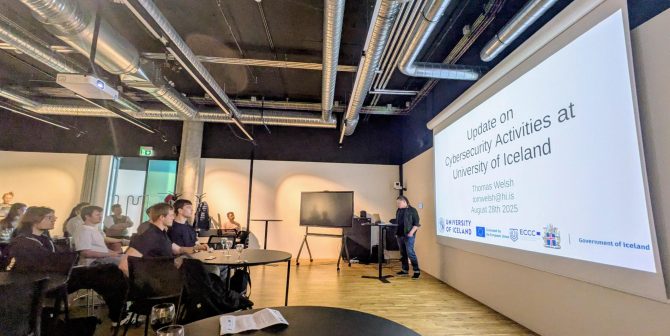
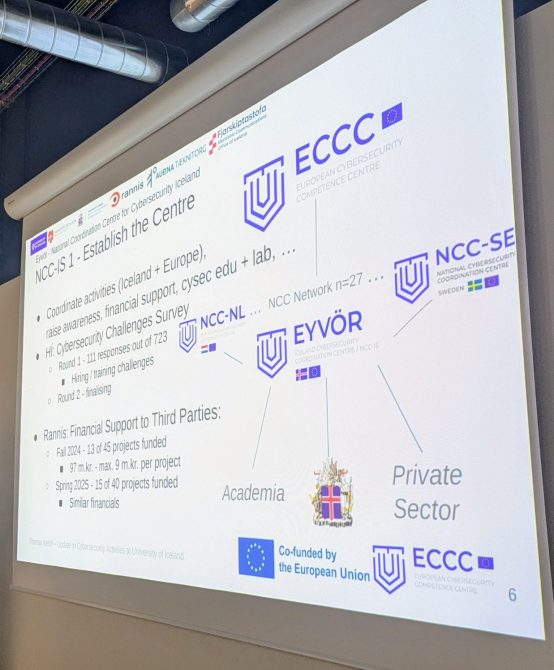
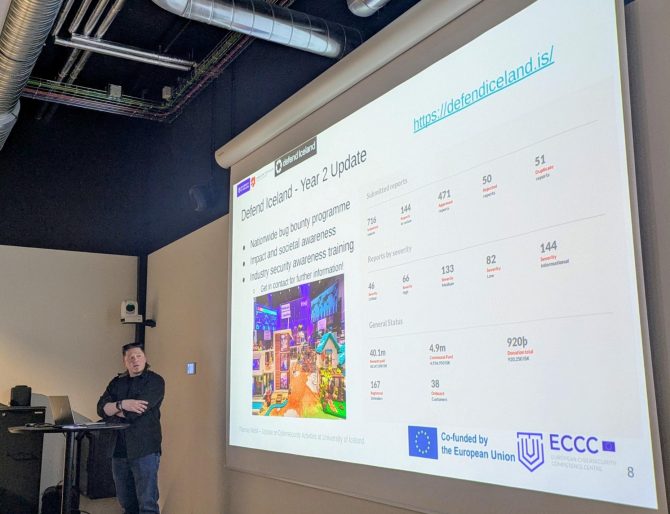
We presented an update on our cybersecurity activities to industry and students at the 21st Icelandic HPC Community Workshop August 28, 2025.
We covered there the joint MSc. programme in cybersecurity, our research, and the Digital Europe Programme projects Eyvör NCC-IS, the National Coordination Centre for Cybersecurity in Iceland and Defend Iceland, including the European network of NCCs and the European Cybersecurity Competence Centre (ECCC).
This event is in the context of our cybersecurity activities and the ECCC/EU co-funded projects ICEDEF – Defend Iceland and Eyvör – the National Cybersecurity Coordination Centre of Iceland (NCC-IS).